Best Social Media Scheduler for Small Business (2026)
We tested 6 social media schedulers for small business owners. See which tool wins on setup speed, pricing, and actually helping you create content.
· 12 min read
A small business without a marketing team needs a scheduler that solves the real problem: having nothing to post. ParasiteSEOPoster wins as the strongest overall pick because it turns your existing website pages into ready-to-schedule posts. Buffer is the best runner-up for those who want pure simplicity, and SocialBee works well if you prefer built-in content categories without building your own system.
That's the quick answer. Let me explain why, because choosing the wrong tool here wastes both money and the time you don't have to spare.
I tested six schedulers through one lens: would this work for an owner who's also managing operations, finances, and customer service? Not an agency with five clients. Not a marketing department with a full content calendar. A real small business with one to three people trying to stay visible online without hiring anyone new.
What Makes a Scheduler Right for Small Business Owners
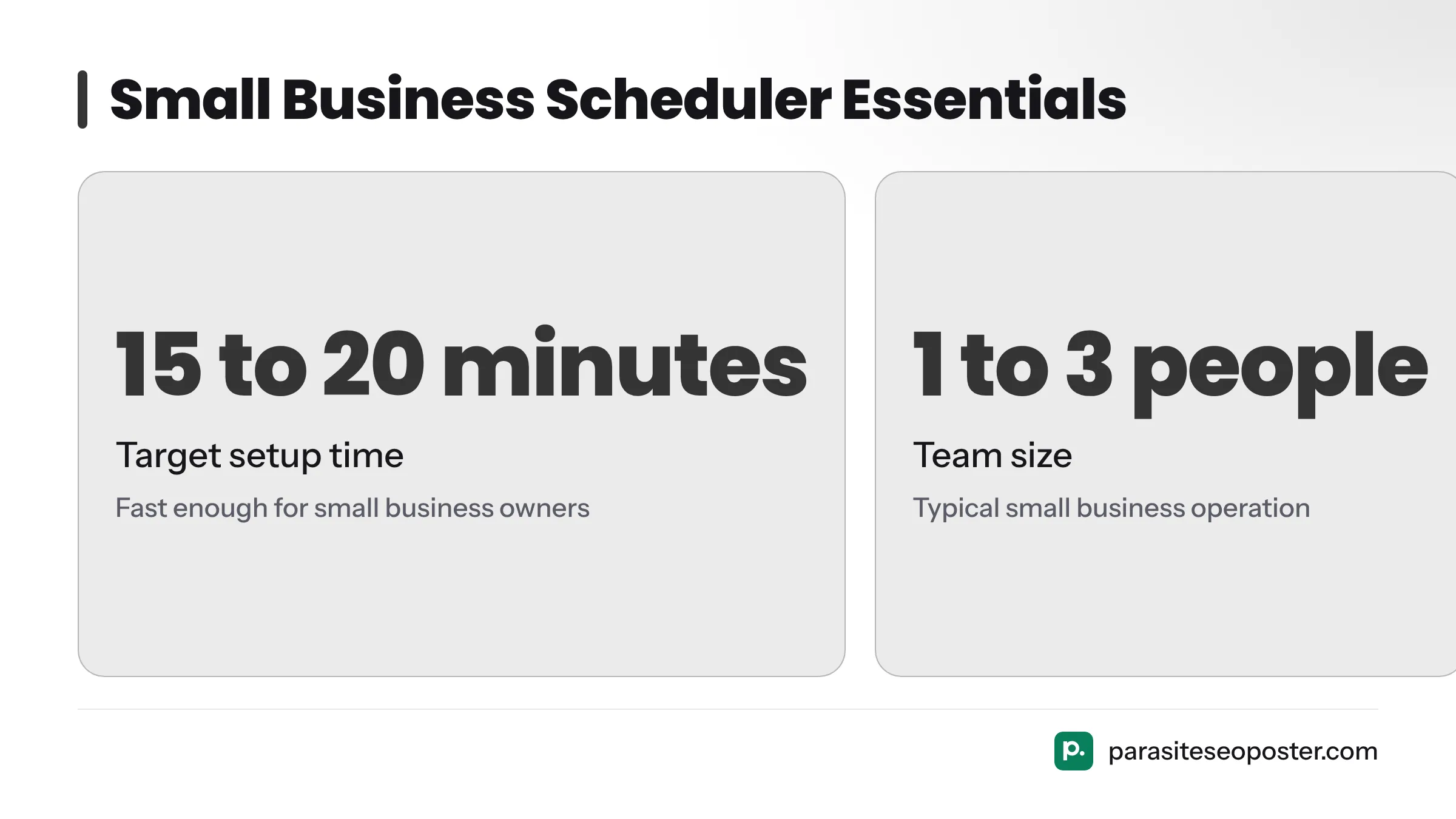
A good scheduler isn't the one with the most features. It's the one that removes friction between "I should post something" and "it's posted." That means fast setup, support for the channels you actually use, pricing that makes sense for one to three people, and ideally, help figuring out what to post.
Here are the key terms you'll encounter:
- Content calendar: A visual schedule, usually a grid or list, showing what's posted and when across your social channels.
- Bulk scheduling: Upload or queue many posts at once via CSV, spreadsheet, or batch creation instead of creating them one by one.
- Auto-posting: The tool publishes directly to the platform at the scheduled time with no manual step needed.
- Approval workflow: A review step where a post sits in draft or pending status until someone signs off, useful even with one other person checking your work.
Speed of setup matters
If it takes more than 15 to 20 minutes to connect your accounts and schedule your first week of posts, it's already working against you. Small business owners don't have time for training calls or complicated onboarding. The tools that work best here use plain language, guided setup, and don't hide scheduling behind a dozen settings screens.
Use channels that match your business
Most small businesses operate on two or three platforms, typically Instagram and Facebook, sometimes TikTok for younger audiences or LinkedIn for B2B and local services. A scheduler supporting fifteen networks is useless if you only need four. What matters is whether your specific mix is fully supported, including Stories, Reels, and TikTok video, not just static feed posts.
Price for a team of one to three
Agency pricing tiers that account for managing 20 clients don't reflect what a one- or two-person business actually needs. The real comparison is: what does a single user or small team of up to three people actually pay, and does a free plan (if available) cover realistic posting needs or is it just a crippled trial?
Help creating content, not just scheduling it
This is the criterion most reviews skip, and it's the one that matters most. A scheduler is only useful if you have posts to schedule. If a tool can pull from your website, generate draft captions, or recycle evergreen content automatically, it closes the gap between owning a calendar and actually filling it.
Before you compare price or platform support, ask whether the tool helps you solve the content problem, not just the posting problem.
How These Schedulers Were Tested
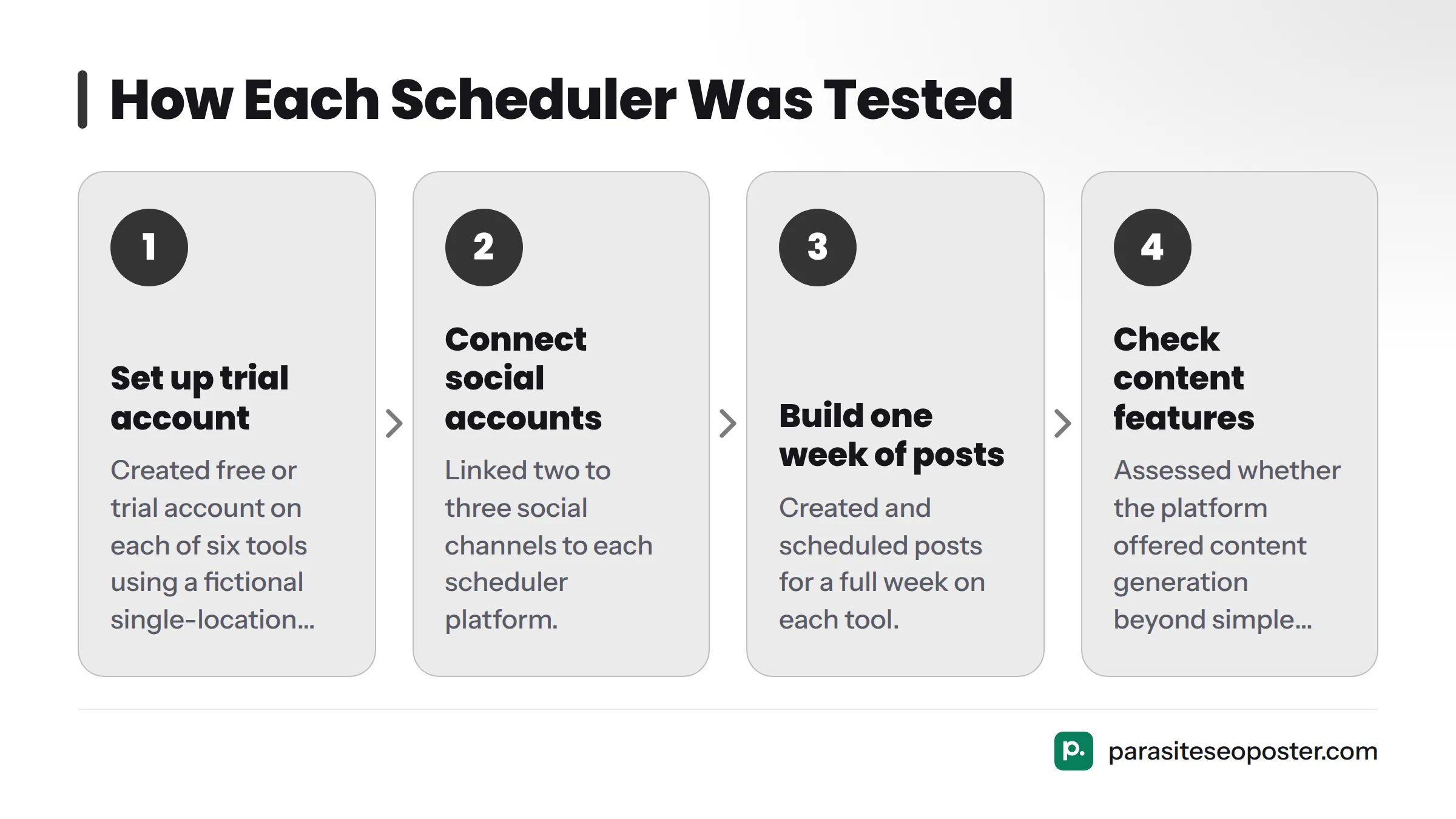
I set up a free or trial account on each of the six tools using a fictional single-location service business: no copywriter, no designer, no content library beyond a website and a handful of product photos. For each tool I timed account setup, connected two to three social accounts, built one week of posts, and checked whether the platform offered any way to generate content rather than just schedule it.
Full disclosure: ParasiteSEOPoster is built by the same team that publishes this site. I've placed it first because its website-to-post feature outperformed every other tool on the content-creation axis in this specific scenario. I've included a clear "not the best fit if" note in its section because honest evaluation matters more than self-promotion. The other five tools were assessed the same way using each company's live pricing page, accessed in October 2026, for every price quoted below.
Quick Comparison: Best Social Media Schedulers for Small Business
| Tool | Best for | Starting price | Free plan | Channels supported | Content help | Bulk scheduling |
|---|---|---|---|---|---|---|
| ParasiteSEOPoster | Businesses with no content to post yet | See pricing page | Limited free tier | Instagram, Facebook, LinkedIn, X, Pinterest | Generates posts from your website pages | Yes |
| Buffer | Simplicity and solo owners | $5/month per channel (Essentials) | Yes, up to 3 channels | Instagram, Facebook, TikTok, LinkedIn, X, Pinterest, Mastodon | Basic AI caption assist | Yes |
| Hootsuite | Broader channel coverage | $99/month (Professional, 1 user) | No (free trial only) | Instagram, Facebook, TikTok, LinkedIn, X, YouTube, Pinterest | AI caption generator (OwlyWriter) | Yes |
| Later | Visual planning and Instagram-first brands | $25/month (Starter) | Yes, limited posts | Instagram, Facebook, TikTok, LinkedIn, X, Pinterest, YouTube | AI caption suggestions | Yes |
| SocialBee | Content categories and recycling | $29/month (Bootstrap) | No (free trial only) | Instagram, Facebook, TikTok, LinkedIn, X, Pinterest, YouTube, Google Business | Category-based recycling, AI post generator | Yes |
| Publer | Budget-conscious multi-platform posting | $12/month (Pro, annual) | Yes, limited | Instagram, Facebook, TikTok, LinkedIn, X, Pinterest, YouTube, Threads, Bluesky | AI assistant for captions | Yes |
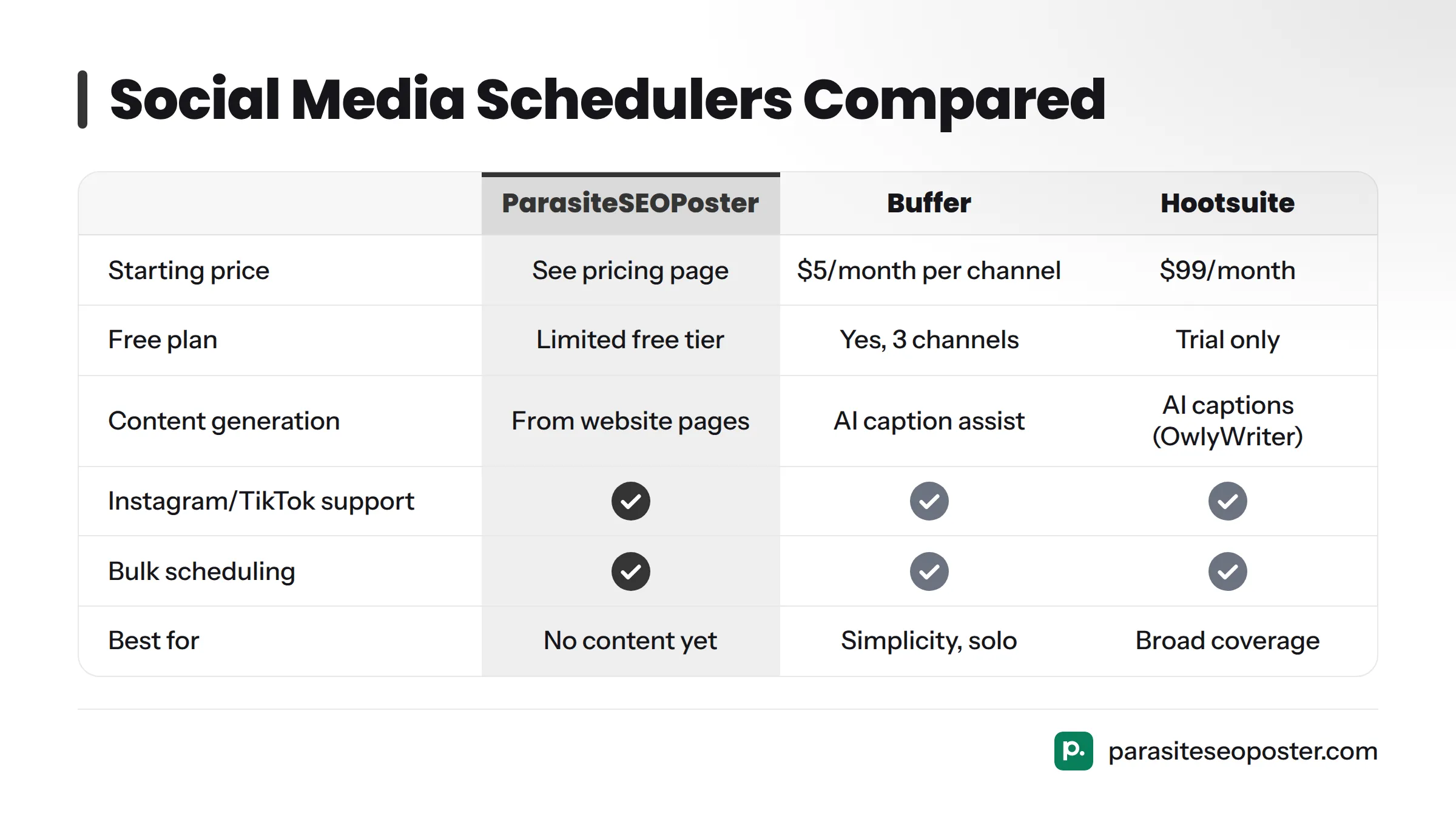
Prices and plan names were accessed directly from each company's pricing page in October 2026 and can change at any time. Confirm current figures before you buy.
1. ParasiteSEOPoster
ParasiteSEOPoster approaches scheduling differently than the rest: instead of starting with a blank post composer, it starts with your website. It scans your existing pages, service descriptions, blog posts, and product listings, then turns that material into draft social posts ready to edit and queue. For a business with no copywriter and no content backlog, this is the single biggest time-saver in this comparison.
Setup notes: Connecting a website and social account took under 15 minutes in testing. The first batch of draft posts generated from existing pages was usable with light editing, not raw copy-paste.
Pros:
- Generates post drafts directly from your website content, closing the content gap
- Fast setup with minimal learning curve
- Bulk scheduling once drafts are approved
Cons:
- Smaller third-party integration ecosystem than long-established players like Hootsuite
- Best suited to businesses with an existing website; a brand-new business with no site content gets less immediate value
Best for: Solo owners and small service businesses with a website but no one dedicated to writing social captions. Check the ParasiteSEOPoster pricing page for current tier details. Not the best fit if you need deep enterprise-level approval chains across a dozen team members; Hootsuite or Sprout Social's larger tiers are built for that scale.
2. Buffer
Buffer remains one of the simplest tools to learn, and that simplicity is exactly why solo owners keep choosing it. The interface is a clean queue: pick a time slot, write or paste your post, done. Buffer's Essentials plan starts at $5 per month per social channel, with a free plan covering up to three channels, according to Buffer's pricing page, accessed October 2026.
Setup notes: Account creation and connecting two channels took about 10 minutes. No tutorial required.
Pros:
- Genuinely easy to learn in one sitting
- Transparent, per-channel pricing that scales predictably
- Clean analytics dashboard included on paid plans
Cons:
- Content creation help is limited to basic AI caption assistance, not full drafts from your own material
- Per-channel pricing adds up if you run many accounts
Best for: A solo owner who already knows what they want to say and just needs a frictionless queue.
3. Hootsuite
Hootsuite remains one of the broadest in channel support, including YouTube alongside Instagram, Facebook, TikTok, and LinkedIn. Its Professional plan is listed at $99 per month for one user on Hootsuite's plans page, accessed October 2026, a meaningful jump from Buffer or Publer for a single-person business.
Setup notes: Setup took closer to 25 minutes due to the number of configuration screens and onboarding prompts.
Pros:
- Widest channel coverage of the tools tested
- OwlyWriter AI tool can generate caption ideas and repurpose past high-performing posts
- Strong analytics and reporting for tracking performance
Cons:
- Price is steep for a single user compared to Buffer, Publer, or Later
- Feature depth can feel like overkill for a one- or two-person operation
Best for: A small business that's grown past solo status and needs more channels or more robust reporting, and can justify the higher cost.
4. Later
Later built its reputation on visual content planning, with a drag-and-drop grid that previews exactly how your Instagram feed will look before you post. Its Starter plan is priced at $25 per month, according to Later's pricing page, accessed October 2026, with a limited free plan available for light posting.
Setup notes: The visual calendar made planning a week of posts intuitive, especially for an Instagram-heavy business. Setup took about 15 minutes.
Pros:
- Best visual planning for image and Reel-heavy brands
- Reasonable entry price for a small team
- Link-in-bio tool included, useful for ecommerce
Cons:
- Content creation help is limited to caption suggestions, not drafts from your website
- Better suited to Instagram and TikTok than LinkedIn or X
Best for: A visually driven small business like a boutique, cafe, or beauty service that lives and dies by how its Instagram grid looks.
5. SocialBee
SocialBee organizes content into categories (think "promotions," "tips," "testimonials") and automatically recycles evergreen posts on a rotation, which solves part of the content-volume problem without requiring new writing every week. Its Bootstrap plan starts at $29 per month, per SocialBee's pricing page, accessed October 2026.
Setup notes: Setting up categories took longer than a simple queue tool, closer to 30 minutes, but paid off by making the first month of scheduling far less manual.
Pros:
- Category-based recycling keeps older, still-relevant posts circulating without manual re-scheduling
- Built-in AI post generator helps when you're stuck
- Google Business Profile support, useful for local service businesses
Cons:
- No free plan, only a trial
- Initial setup is more involved than Buffer or Publer
Best for: A local service business or ecommerce store that wants a small library of evergreen content to keep circulating automatically rather than writing something new every single week.
6. Publer
Publer is the budget pick of this group, with a Pro plan around $12 per month on an annual commitment according to Publer's pricing page, accessed October 2026, and the widest newer-platform support, including Threads and Bluesky.
Setup notes: Setup was fast, around 12 minutes, and the interface, while less polished than Buffer or Later, covers the essentials well.
Pros:
- Lowest starting price among paid tiers compared here
- Broad platform support, including newer networks like Threads and Bluesky
- Bulk scheduling via spreadsheet upload
Cons:
- Interface feels less refined than higher-priced competitors
- AI content help is basic compared to SocialBee or ParasiteSEOPoster
Best for: A cost-conscious small business that wants wide platform coverage without paying Hootsuite-level prices.
For a hands-on comparison, this video walks through testing of several management tools side by side.
Which Social Media Scheduler Should You Choose?
The right answer depends less on features and more on what kind of small business you're running. Here's how to match your situation to a tool:
- Solo owner with no content team: Start with ParasiteSEOPoster to solve the content gap first, or Buffer if you already have captions ready and just need a simple queue.
- Local service business (plumber, salon, clinic): SocialBee's recycling categories or ParasiteSEOPoster's website-to-post feature both reduce the weekly writing burden. Pick SocialBee if you want manual control over categories, ParasiteSEOPoster if you'd rather it pull from your site automatically.
- Ecommerce store: Later's visual grid planning and link-in-bio tools make it a strong fit, especially if Instagram and TikTok drive most of your sales.
- Agency or multi-client manager: Hootsuite's broader channel support and reporting depth justify its higher price once you're managing more than one brand.
The fastest way to find out what works for you is to open an account and try scheduling one real week of posts. Most of these tools, including ParasiteSEOPoster, offer a free plan or trial, so there's no reason to commit to a year of billing before testing the daily workflow yourself.
Frequently Asked Questions
What should a small business look for in a scheduler? Look for fast setup, support for the two or three channels you actually use, pricing that makes sense for one to three users, and ideally some form of content-creation help so you're not starting from a blank page every week.
Do I need a paid scheduler, or is a free plan enough? A free plan can work if you're posting a handful of times per week on one or two channels. Once you need more channels, more posts per month, or approval workflows with a second person, you'll likely outgrow the free tier.
How is ParasiteSEOPoster different from Buffer or Hootsuite? ParasiteSEOPoster generates draft social posts directly from your existing website content, while Buffer and Hootsuite expect you to write or paste captions yourself, with only basic AI assistance. The difference matters most if you don't have anyone dedicated to writing social copy.
What are the top social media schedulers for small business? Based on hands-on testing for ease of setup, price, and content help, the strongest options are ParasiteSEOPoster, Buffer, SocialBee, Later, Publer, and Hootsuite, each suited to a slightly different type of small business.
What is the best scheduling app for small businesses specifically? There isn't one universal answer. ParasiteSEOPoster fits best if you need help generating content, Buffer fits best for pure simplicity, and SocialBee fits best if you want built-in content recycling categories.
How much does a social media scheduler typically cost for 1-3 users? Entry-level plans for a small team generally run from about $5 per month per channel on Buffer up to around $99 per month for a single Hootsuite Professional seat, with most tools in this comparison landing between $12 and $30 per month, based on each provider's pricing page accessed in October 2026.
What is bulk scheduling and do I need it? Bulk scheduling lets you upload or queue many posts at once instead of creating them one by one. It's worth having if you plan content in batches, like setting up a month of posts in one sitting, but it's not essential if you prefer posting a few at a time as ideas come up.
What is a content calendar and how does it help a small business? A content calendar is a visual schedule showing what's posting and when across all your channels. It helps avoid gaps in posting and shows when the same type of content is being repeated too often.
What happens if I exceed a scheduler's free-tier limits? Most tools either pause further scheduling until you upgrade or restrict you to the number of channels and posts allowed on the free tier. Check each provider's current plan page before relying on a free tier for ongoing use, since limits change over time.
Which scheduler offers the best value for an ecommerce store vs. a service business? Later tends to suit ecommerce stores best because of its visual grid planning and link-in-bio tools. A local service business often gets more value from SocialBee's recycling categories or ParasiteSEOPoster's website-to-post generation, since service businesses typically have less visual product content to plan around.
For another perspective, this video offers a broader rundown of management platforms alongside this guide.
Next Steps
Choosing a scheduler is smaller than it feels. Pick the tool that solves your actual bottleneck, whether that's having nothing to post, needing a simpler interface, or keeping costs down. Start with its free plan or trial and give it one real week before judging it. For more comparisons and scheduling resources, check ParasiteSEOPoster's homepage to see current features and plans.
Sources
Related: Buffer alternatives
social media schedulingbuffer alternativescontent atomization
Turn every important page into a network the web can discover.
Start free