Buffer Alternatives for Small Business in 2026
Buffer works well for solo creators managing one or two channels. But the moment you add more platforms or struggle to find fresh content to post, you hit two walls: pricing climbs per channel, and the tool only schedules what you've already written. For local service businesses, online shops, and solo consultants, writing social copy every week often becomes the real constraint.
The strongest Buffer replacements fall into two camps: tools that generate posts from your existing website content (like ParasiteSEOPoster), and schedulers that simply queue what you give them (SocialBee, Postiz, Sprout Social, Hootsuite, Later). Knowing which problem you're actually facing determines which tool will stick.
Why Small Businesses Leave Buffer
Buffer built its reputation on affordability and simplicity. For a solo creator posting to two or three channels, it still delivers. The friction appears once you scale. Two patterns emerge consistently in reviews and reader feedback: pricing that rises with every channel you connect, and a platform that assumes you've already solved social media's hardest problem - knowing what to post in the first place.
Per-channel pricing compounds quickly
Buffer's pricing page charges per social channel on its Essentials plan. The free tier supports three channels with a 10-post queue limit per channel. Paid tiers scale per channel connected, not per business or team. That model works fine for a single creator managing one brand. But a small business running Instagram, Facebook, Google Business Profile, LinkedIn, and TikTok for one brand pays for each connection separately. We reviewed this pricing structure in October 2026, and reviewers have flagged the same issue for two years running: add channels, and your bill rises faster than a flat-rate competitor's.
Buffer schedules, it doesn't write
Most social media schedulers perform the same function: they take content you've created and publish it on a schedule. A content calendar sits on top of that, showing what's queued and when. Neither solves the upstream problem of figuring out what to say. Buffer, like most competitors, handles only the scheduling layer. For a contractor, retailer, or solo consultant without a marketing hire, that gap is the real bottleneck - not the subscription fee.
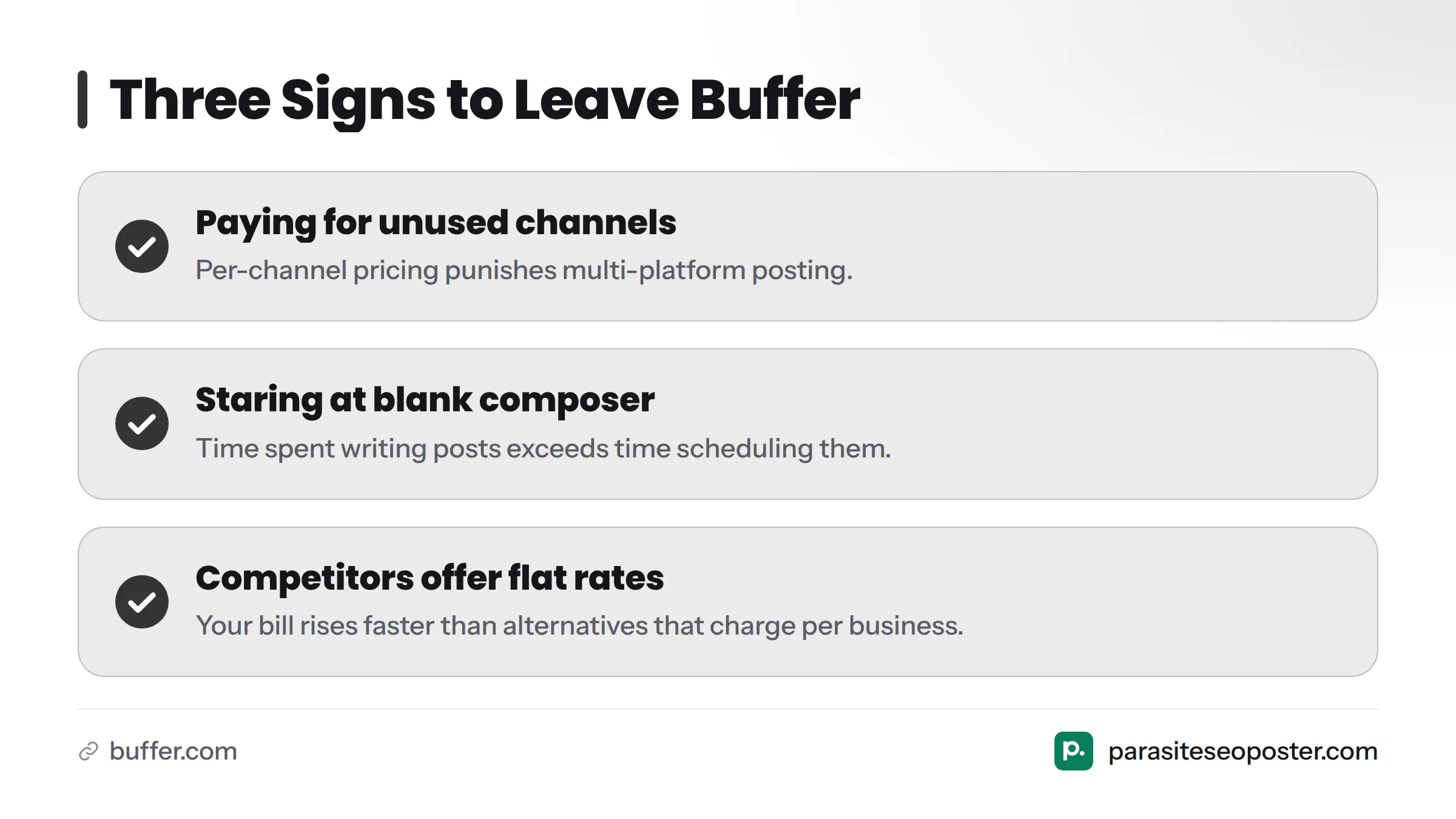
Three signs it's time to switch:
- You're paying for channels you barely use because per-channel pricing punishes multi-platform posting.
- You spend more time staring at a blank composer than actually scheduling posts.
- Your team needs approval steps before publishing, and Buffer's collaboration features feel limited.
How We Evaluated These Alternatives
We tested each tool's core workflow: connecting channels, queuing content, and - where relevant - generating posts from scratch versus from existing content. Our criteria were practical and weighted toward small business reality rather than agency scale:
- Starting price and structure (flat-rate versus per-channel)
- Free plan limits and what you get for $0
- Content creation capability versus scheduling only
- Team approval and collaboration features
- Analytics and reporting depth
We did not rely on third-party review aggregator ratings, since those shift constantly and cannot be independently verified. Every price and feature claim below ties directly to the company's current pricing page.
Buffer Alternatives at a Glance
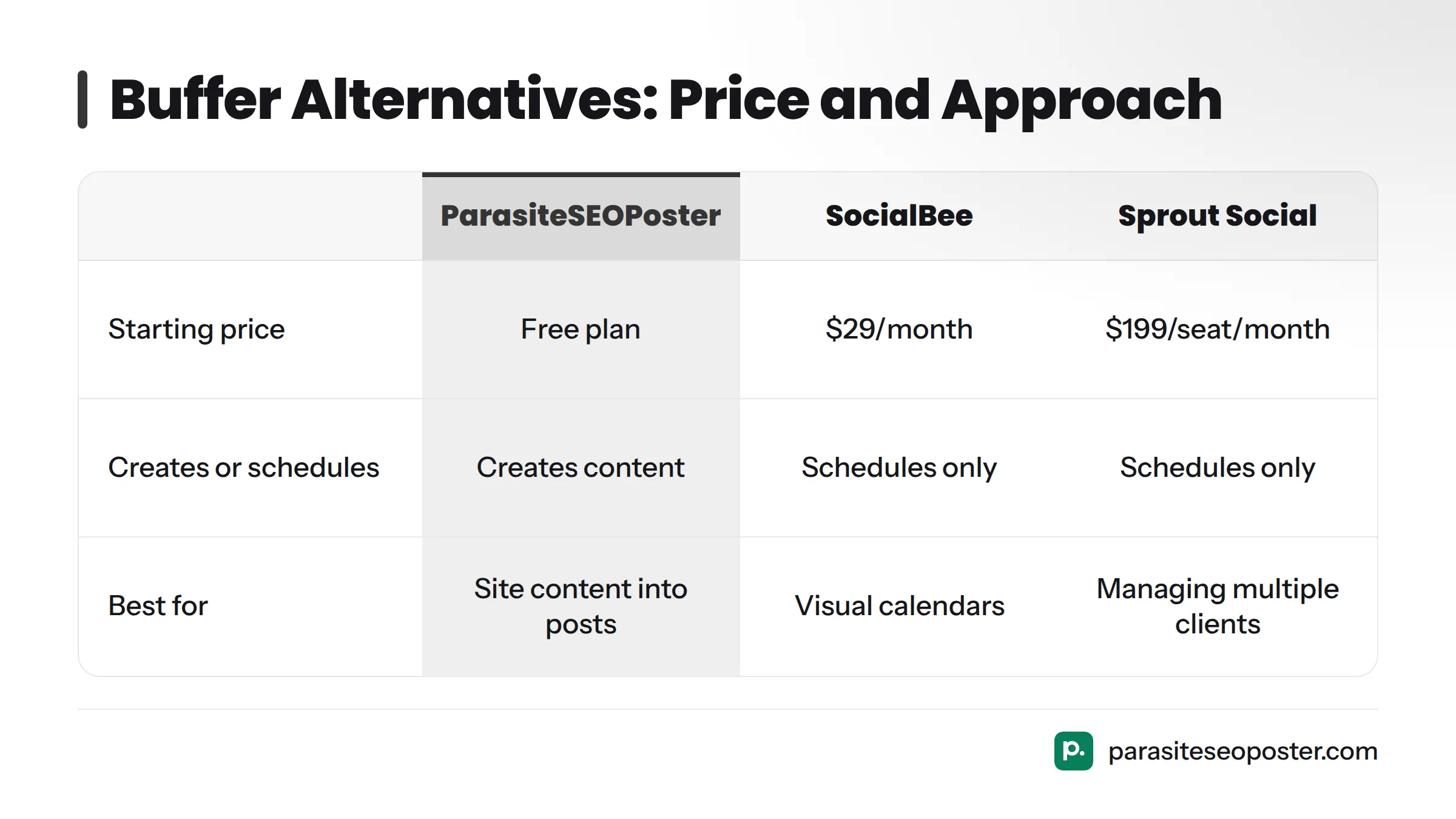
| Tool | Best For | Starting Price | Creates Content or Schedules Only | Key Limit |
|---|---|---|---|---|
| ParasiteSEOPoster | Turning site content into social posts | Free plan available, see pricing | Creates content from your pages, then schedules it | Works best with existing website content |
| SocialBee | Visual content calendars and category-based queues | Paid plans from $29/month, per SocialBee pricing | Schedules only, with built-in AI writing assist | Lower tiers cap channels and posts |
| Sprout Social | Agencies managing multiple clients | Paid plans from $199/seat/month, per Sprout Social pricing | Schedules only, strong analytics and reporting | Priced above most small-business budgets |
| Hootsuite | All-in-one engagement and inbox management | Paid plans from $99/month, per Hootsuite plans | Schedules only, with social listening add-ons | Entry plan limits channels and users |
| Later | Budget-friendly visual scheduling for solo founders | Free plan available, paid plans from $25/month, per Later pricing | Schedules only, image/video-first workflow | Free tier caps monthly posts per platform |
| Postiz | Teams wanting an open-source, self-hostable option | Free self-hosted tier; cloud plans from $29/month, per Postiz pricing | Schedules only, with collaboration features | Self-hosting requires technical setup |
1. ParasiteSEOPoster: Best for Turning Site Content Into Social Posts
Disclosure: ParasiteSEOPoster is our product. We're listing it first because it solves the core gap this article addresses, and we'll cover it honestly, including its limits.
Most small businesses already have content on their website: service pages, product descriptions, blog posts, FAQs, case studies. ParasiteSEOPoster transforms that existing content into review-ready social posts, rather than starting from a blank composer. In testing, pointing it at a service page produced platform-ready drafts in minutes, which you then edit, approve, or schedule.
Best for: Local service businesses, ecommerce stores, and solo consultants who have a website but no dedicated content writer. If "I don't know what to post" is your main obstacle, this tool addresses exactly that.
Strengths:
- Converts existing pages into multiple post drafts instead of starting blank - what content atomization means in practice: breaking one piece into several platform-ready pieces.
- Includes an approval step before publishing, keeping you in control.
- Supports multi-platform posting once content is approved.
Limits: It works best when you have existing site content or a library to draw from. If you have zero existing content and want a tool that writes original posts with no source material, a general AI writing add-on in a traditional scheduler may suit you better.
Price: Free plan available to test the workflow before committing. Full details are on the pricing page, where you can start free and atomize your first page before deciding whether to upgrade.
2. SocialBee: Best for Visual Content Calendars
SocialBee organizes content into categories and cycles them automatically through your schedule, a workflow built around keeping evergreen content alive without manual re-queuing. The visual calendar shows gaps at a glance, which matters when your team is small and auditing the queue daily isn't realistic.
Best for: Small businesses that already write or collect content regularly and want a clean way to organize and recycle it across channels.
Strengths: Category-based recycling, built-in AI writing assistant for light drafting, and a visual calendar interface that surpasses Buffer's organization.
Limits: It's a scheduling and organizing tool first. The AI assist can draft short captions, but it doesn't pull from your existing website content the way a dedicated content-creation workflow does.
Price: Plans start around $29/month according to SocialBee's pricing page, scaling with profiles and users.
3. Sprout Social: Best for Agencies Managing Many Clients
Sprout Social is built for larger teams managing social media at scale, with reporting, listening, and approval workflows that go beyond what a solo business typically needs. If you're an agency managing multiple client accounts, the reporting depth and permission controls justify the price.
Best for: Agencies and multi-client teams needing granular reporting, client-ready dashboards, and strict approval controls across multiple brands.
Strengths: Deep analytics, strong team permission structures, and social listening tools beyond basic scheduling.
Limits: Pricing starts around $199 per seat per month according to Sprout Social's pricing page, putting it out of reach for most single-location small businesses.
Price: Check Sprout's pricing page directly, since agency and enterprise tiers change quickly.
4. Hootsuite: Best All-in-One Engagement Suite
Hootsuite remains one of the original social media management platforms, functioning as a broad suite: scheduling, a unified inbox for comments and messages, and social listening in higher tiers. For a small business wanting one dashboard for both publishing and engagement, it's a reasonable Buffer replacement.
Best for: Small businesses managing publishing and audience replies in one place.
Strengths: Unified inbox for messages and comments across platforms, broad multi-platform posting, and mature reporting.
Limits: Entry tiers restrict connected channels and users. According to Hootsuite's plans page, pricing starts around $99/month for the Professional tier, a meaningful jump from Buffer's entry pricing.
Price: Check Hootsuite's plans page directly, since channel and user allowances shift between tiers.
5. Later: Best Budget Pick for Solo Founders
Later started as an Instagram-focused visual scheduler and has grown into a broader multi-platform tool while keeping its visual, drag-and-drop calendar at the center. For solo founders who think visually - especially those running product-based or lifestyle brands - that layout speeds up planning more than a list-style queue.
Best for: Solo founders and small ecommerce brands who plan visually and want a genuinely free Buffer alternative.
Strengths: Strong free plan for light posting, visual content calendar, and straightforward media-first scheduling.
Limits: The free plan caps monthly posts per platform according to Later's pricing page, so active posters outgrow it quickly.
Price: Free plan available; paid plans start around $25/month.
6. Postiz: Best for Team Collaboration and Approvals
Postiz matters because it's open-source, appealing to small businesses with technical comfort who want more control over data and hosting. Beyond the self-hosted option, it offers a hosted cloud version with collaboration and approval features built in, making it flexible for small teams that review posts before publishing.
Best for: Small teams wanting built-in approval workflows and comfort with a newer, leaner tool compared to legacy players.
Strengths: Open-source flexibility, collaboration and approval features in the cloud version, and a free self-hosted tier for technically comfortable teams.
Limits: Self-hosting requires setup and maintenance most small businesses won't pursue. According to Postiz's pricing page, cloud plans start around $29/month for teams skipping self-hosting.
For a visual comparison of how one Buffer alternative handles automation, this breakdown explores the category in more depth.
Match the Tool to Your Real Constraint
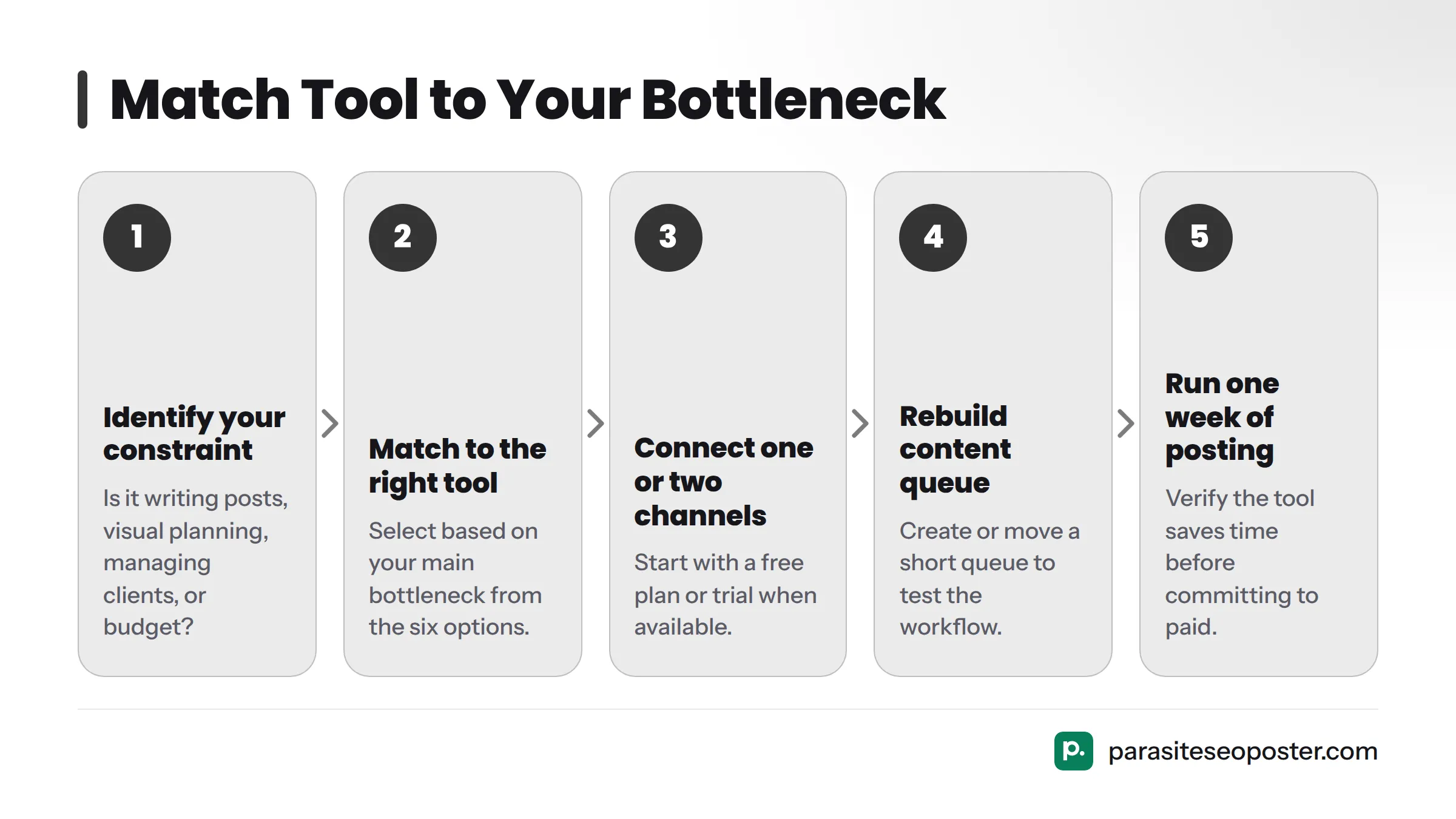
Matching the right tool to your actual bottleneck prevents switching twice. Run through this quickly:
- You hate writing posts and already have a website - Start with ParasiteSEOPoster and let it draft from your existing pages.
- You plan content visually and want a clean calendar - SocialBee or Later.
- You manage multiple client accounts - Sprout Social.
- You want one dashboard for publishing and replying - Hootsuite.
- Budget is your tightest constraint and you're solo - Later's free plan or SocialBee's entry tier.
- You need built-in approval steps for a small team - Postiz.
Whichever you choose, the practical next step is the same: connect one or two channels, rebuild a short content queue, and run a real week of posting before committing to a paid plan. You can start on the free plan with ParasiteSEOPoster to test whether the content-creation workflow actually saves time before paying.
Buffer Alternatives FAQ
What is the best free alternative to Buffer?
Later and ParasiteSEOPoster both offer usable free plans. Later's free tier suits solo founders posting occasionally and wanting a visual calendar, while ParasiteSEOPoster's free plan fits better if your real obstacle is generating post ideas from content you already have on your website.
Why do small businesses switch from Buffer?
Most switches trace back to two causes: Buffer's per-channel pricing gets expensive once you connect four or five profiles for one brand, and Buffer only schedules posts, so it does nothing to solve the harder problem of writing fresh content every week.
Is there a Buffer alternative that creates the posts for me?
Yes. ParasiteSEOPoster is built specifically to turn existing website pages into draft social posts that you review and schedule, rather than asking you to write from a blank composer the way Buffer, Hootsuite, and most schedulers do.
Can I move my scheduled posts from Buffer?
Most schedulers don't offer direct one-click import of another tool's queue, since post data isn't standardized across platforms. The practical approach is exporting or noting your current Buffer queue, then manually rebuilding it in the new tool during your first week, which also gives you a natural chance to refresh stale posts rather than copying them unchanged.
For a broader look at scheduling tools before committing, our social media scheduler comparison hub lays out more options side by side. You can also compare team-oriented picks in other guides if calendar-style planning is what you're after.
Buffer still works well for plenty of solo creators managing one or two channels. The moment per-channel pricing or a blank content queue costs you more time or money than it saves, one of the six tools above will likely fit better. The ParasiteSEOPoster free plan is the fastest way to test whether content creation, not scheduling, was your real bottleneck all along.
Sources
Related: start on the free plan